Most apartment dwellers don’t want to deal with complicated installs, locked-in contracts, or security systems that glitch the second you leave town.
You just want something that works – affordably, reliably, and ideally with zero drilling.
The truth: Not all systems marketed to renters are actually built with renters in mind. We’ve reviewed the most popular options to find out which ones are worth your time, and which are all hype.
You’ll get the full breakdown: what to buy, what to avoid, and how to choose the right setup for your apartment, budget, and brain space.
Our Top 3 Picks | ||
|---|---|---|
Best for Apple HouseholdsYale Assure Lock 2 | Best for Rental HostsSifely Smart Lock | Best for Video Security + Lock in OneLockin Veno Pro |
1. Lockly Visage Zeno Series Smart Lock
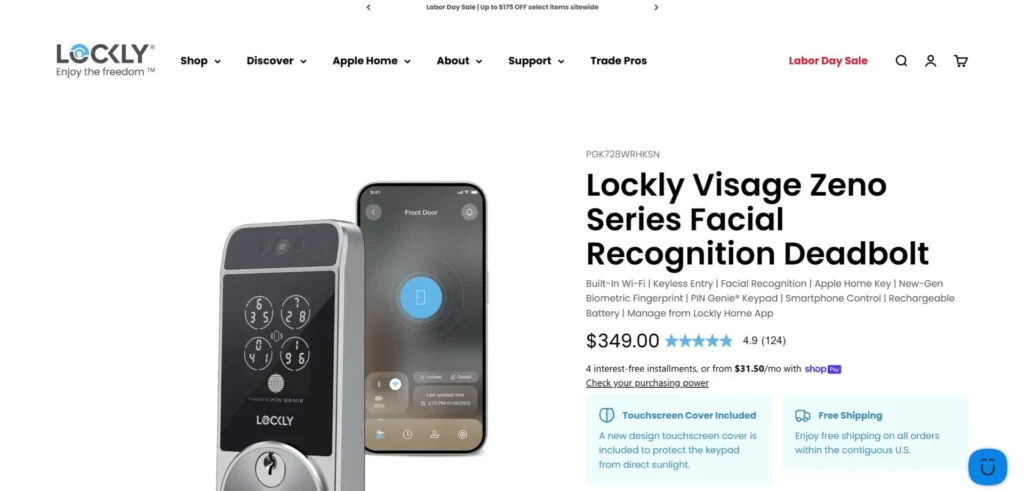
Best for Apple users who want true hands-free entry with on-device privacy.
Visage uses 3D facial recognition so you can literally walk up and the door unlocks. No phone. No keypad. For day-to-day living, that’s hard to beat.
It also supports Apple Home Key, a fast fingerprint reader, the PIN Genie keypad, and built-in Wi-Fi for remote control without a hub. Facial data stays on the device, which is the right privacy move. Install is DIY friendly and the dual rechargeable batteries are a nice touch so you can swap and keep going.
Trade-offs show up in price and a few small quirks. Some buyers wanted a cleaner door sensor design and more granular auto-lock scheduling in the app. If you want premium convenience and Apple integration, this is the one to shortlist.
Features
3D facial recognition unlock with infrared for day and night
Apple Home Key for tap-to-unlock with iPhone or Apple Watch
New-gen fingerprint sensor recognizes in ~0.2 seconds
PIN Genie keypad that shuffles digits to prevent peeking
Built-in Wi-Fi for remote control and real-time alerts
Multiple access types: face, fingerprint, keypad, app, physical key, voice
Two rechargeable batteries included, up to ~6–8 months each
Pros
Truly hands-free entry that works fast and feels natural
Strong Apple ecosystem support, plus Alexa and Google
On-device storage for facial data helps with privacy and trust
Clear instructions and smooth DIY installation
Responsive support
Premium look and solid build quality
Cons
Higher price than most smart deadbolts
Door sensor module and cable look a bit utilitarian
App scheduling is limited for some settings unless you automate via Apple Home
Occasional setup hiccups that may need a firmware update or support nudge
Price: $349.00
Score: 4.8/5
2. Philips Smart Lock with Handles
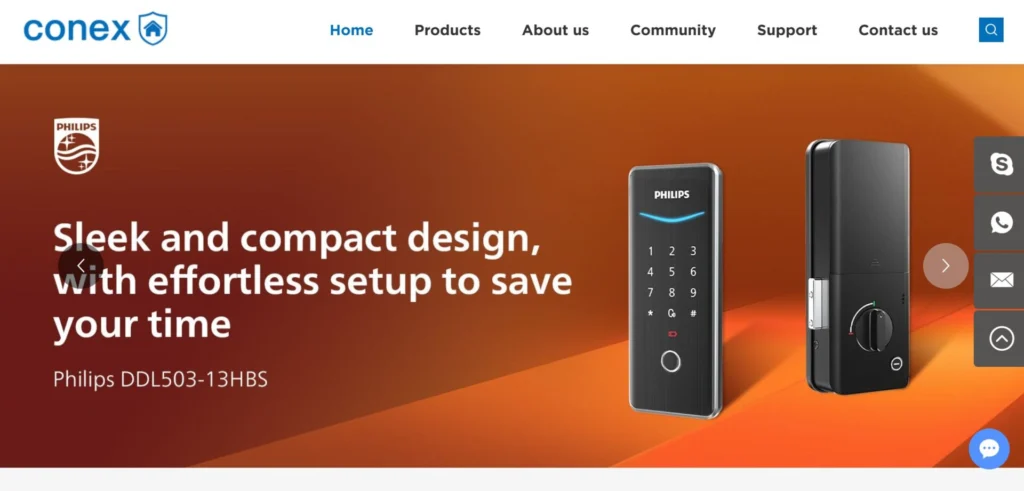
Best for homeowners who want simple setup, reliable fingerprints, and a modern look.
Philips brings its well-known brand trust into smart locks, and this model shows why it’s so popular. It comes bundled with handles, installs in about 20 minutes with a screwdriver, and offers four unlocking options: fingerprint, PIN, app, and key.
The fingerprint scanner is consistently praised for accuracy and speed, while the auto-lock feature gives peace of mind for busy families. Design-wise, the lock looks premium and fits into most home styles, making it as much about aesthetics as security.
Downsides are fairly mild: batteries may drain faster than expected, and remote features require buying the Philips Wi-Fi bridge. The app can be finicky for a few users, but overall, this lock is a solid balance of ease, reliability, and value.
Features
Four unlocking methods: fingerprint, PIN, app, mechanical key
Fast fingerprint recognition (stores up to 50 prints)
Auto-lock with door position sensors for peace of mind
Bluetooth connection; remote access with optional Wi-Fi bridge
Supports Alexa and Google Assistant (Wi-Fi bridge required)
One-time PINs, recurring PINs, and up to 100 user codes
Pros
Easy installation, similar to replacing a doorknob
Reliable fingerprint scanner with quick response
Multiple backup access methods
Sleek, sturdy design with modern appeal
Good value, especially when discounted
Cons
Batteries drain faster than some competitors
Remote control requires extra Wi-Fi hub purchase
App occasionally logs out or delays auto-lock
Aluminum handles feel lighter than steel options
Price: $229.99
Score: 4.7/5
3. LOCKSTAR® Smart Door Lock
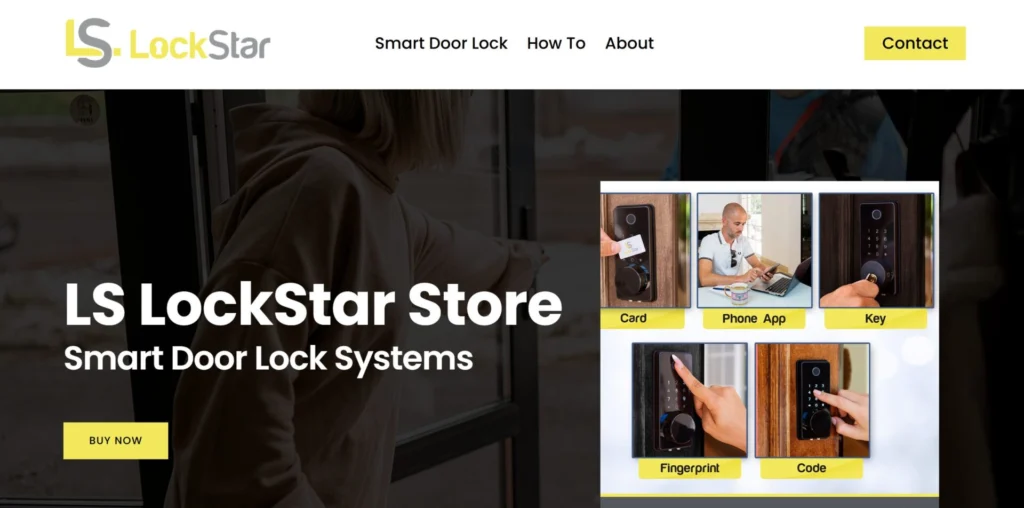
Best for families and rentals that want reliability with built-in Wi-Fi at a fair price.
LockStar is the kind of smart lock that wins people over not just with features, but with execution. It includes everything you need out of the box – even the screwdriver and drill bit if you don’t already have one – and setup is straightforward with clear video guides.
Five ways to unlock (fingerprint, keypad, fob, app, and key) cover every household situation, while the auto-lock and real-time notifications bring peace of mind. A big plus: the Wi-Fi gateway is included, unlike with many competitors who charge extra.
Most reviewers highlight how consistent and reliable it feels, backed by hands-on customer support from the small, family-owned brand.
A few drawbacks exist – wet fingers can trip up the scanner, and some doors need slight drilling adjustments – but the overall sentiment is that LockStar delivers premium-level quality at a mid-range price.
Features
Five unlock methods: fingerprint, keypad, RFID/fob, app, traditional key
Auto-lock on close or manual “#” long-press lock
Real-time notifications and event logs via app
Wi-Fi gateway included (remote access out of the box)
Easy DIY install with included tools and guides
Compatible with Google Home for voice control
Pros
Easy installation, similar to replacing a doorknob
Reliable fingerprint scanner with quick response
Multiple backup access methods
Sleek, sturdy design with modern appeal
Good value, especially when discounted
Cons
Fingerprint scanner less reliable with wet fingers
Some doors require drilling/adjustments during install
Minor warranty confusion depending on reseller vs direct purchase
Price: $139.97
Score: 4.6/5
4. Lockin Veno Pro Palm Vein Smart Lock
Best for households that want futuristic biometrics and built-in video security.
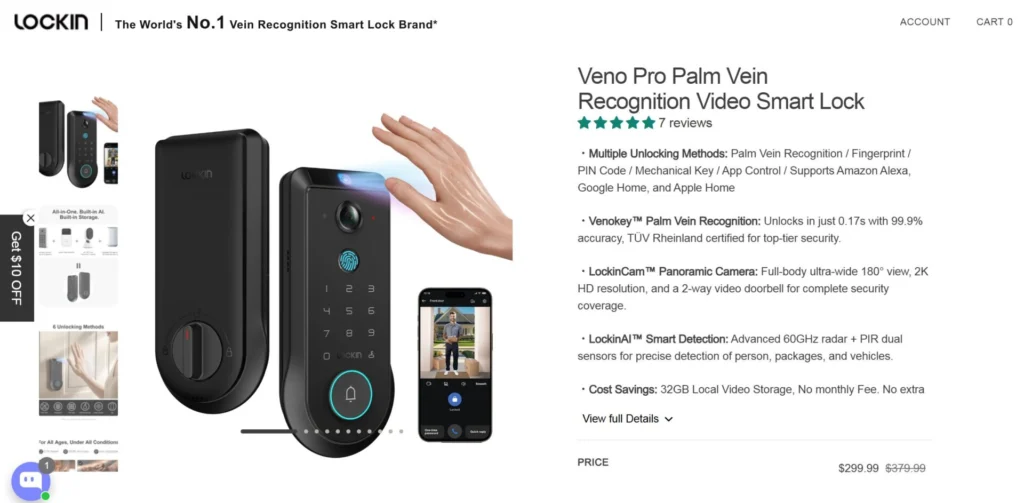
Lockin’s Veno Pro takes smart locks to another level with palm vein recognition – a touchless biometric that scans invisible vein patterns in your hand.
It’s fast (0.17 seconds), highly secure, and works even if your hands are wet or dirty. Add in a 2K wide-angle video camera with night vision, AI motion detection, and local storage (no monthly fees), and it’s clear why users see it as more than just a lock. Setup is surprisingly simple, taking under 20 minutes with just a screwdriver.
The trade-offs? Battery life is decent but not the longest, and at nearly $300, it’s pricier than most keypad/fingerprint models.
Still, for families or homeowners who want advanced security without cloud subscriptions, it’s one of the most impressive all-in-one options available.
Features
Venokey™ palm vein recognition with TÜV-certified 99.9% accuracy
Six unlock methods: palm vein, fingerprint, PIN, app, voice control, mechanical key
LockinCam™ 2K camera with 180° ultra-wide view + night vision
LockinAI™ smart detection for people, packages, vehicles with real-time alerts
Local 32GB video storage (no subscription fees)
Weather-resistant (IP65), tempered glass finish, BHMA Grade 2 durability
Smart home integration: Apple Home, Alexa, Google, SmartThings, Matter-ready
Pros
Palm vein scanning is fast, reliable, and more secure than fingerprints
Built-in 2K camera and AI detection = fewer blind spots and better monitoring
Subscription-free local storage saves money long-term
Durable, weatherproof build with premium feel
Simple DIY install; no drilling required
Multiple unlock methods add flexibility for families and guests
Cons
Battery life (3–7 months) isn’t the longest; solar add-on helps but costs more
Price is high compared to simpler keypad/fingerprint locks
Some users found fingerprint recognition less reliable than palm vein
Learning curve for less tech-savvy households
Price: $299.99
Score: 4.5/5
5. Sifely Smart Lock
Best for Airbnb hosts and rental property managers who need versatile access control.
Sifely is a go-to pick for rental hosts, landlords, and families who want multiple access methods without breaking the bank. With six ways to unlock – including fingerprint on the handle, codes, fobs, app, and keys – it’s one of the most versatile options available.
Setup is quick (just a screwdriver), and the optional WiFi gateway allows remote code generation, monitoring, and management through a free web portal. For Airbnb or short-term rentals, being able to create and share custom guest codes instantly is a major plus.
That said, some owners have flagged inconsistent build quality – issues like worn paint, quirks with latch alignment, or early unit failures.
Still, the majority of reviews are positive, highlighting value for money, intuitive app features, and a solid year-long battery life.
Features
Six unlock options: fingerprint, passcodes, fobs, app, keys, wireless keys
Fingerprint sensor integrated into handle for fast access
Stores 150+ codes and 200+ fingerprints
Auto-lock with optional passage mode for scheduled open access
Optional WiFi gateway for remote access, code generation, and activity logs
Free web portal for property managers to mass-assign/revoke codes
Pros
Very easy installation with clear guides
Flexible unlock options (ideal for rentals and families)
Strong fingerprint accuracy for most users
Intuitive app with detailed logs and remote management
Competitive pricing for the features offered
Long battery life (up to 1 year on 4 AA batteries)
Cons
Some reports of unit failure within months
Cosmetic durability (paint wear over time)
Occasional latch/strike plate alignment issues
Inconsistent fingerprint performance for a minority of users
Price: $129.99
Score: 4.3/5
6. ULTRALOQ U-Bolt Pro
Best for households that want maximum features and Apple/Alexa integration at a mid-range price.
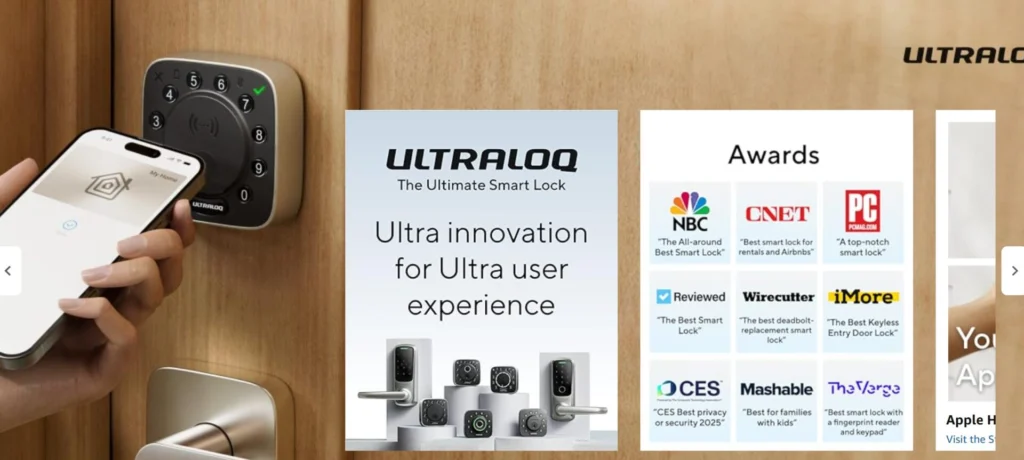
The ULTRALOQ U-Bolt Pro is a Swiss Army knife of smart locks, with eight ways to unlock: fingerprint, keypad, app, auto-unlock, voice control, eKeys, codes, and physical keys.
Installation is quick and simple, and most buyers highlight its smooth fingerprint reader, quiet motor, and reliable auto-lock. Integration with Apple Home, Siri, Alexa, and Google makes it a good fit for connected households, and the BHMA certification adds trust for security and durability.
Where it loses points is in software and long-term reliability. The app can feel clunky, some users report occasional fingerprint misreads (especially for older adults), and Wi-Fi remote access is hit-or-miss.
Still, for the price, it offers one of the most feature-rich setups available.
Features
Eight unlock options: fingerprint, keypad, app, voice (Siri/Alexa/Google), auto-unlock, eKeys, codes, backup keys
Apple Home, Alexa, Google, SmartThings, and IFTTT integrations
Auto-lock and auto-unlock with included door sensor
Up to 50 access codes with logs/history in the app
BHMA certified, IP65 dust/water resistance, quiet operation
Powered by 8 AA batteries for ~10 months of use
Pros
Quick DIY install (~10–20 minutes)
Wide range of unlocking options and smart home integrations
Fingerprint scanner generally accurate and quick
Quiet, sleek, and modern design
Logs and notifications add security and visibility
Good value given the features
Cons
App is clunky; some features hard to find
Auto-lock/unlock radius can be inconsistent
Fingerprint scanner less reliable for elderly/dry hands
Remote access via Wi-Fi bridge can be finicky
Occasional hardware/firmware issues after ~1 year
Price: $179.99
Score: 4.2/5
7. YOSIMIKA Fingerprint Smart Door Lock
Best budget-friendly smart lock with versatile access options.
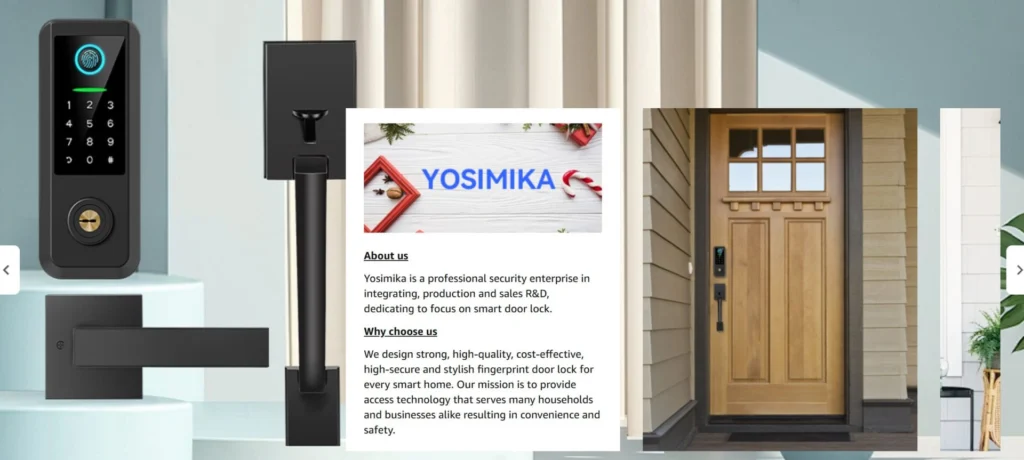
The YOSIMIKA Fingerprint Smart Door Lock offers a lot for under $100. With five different ways to unlock – fingerprint, code, key fob, app, or traditional key – it’s versatile enough for families, rentals, or anyone who wants flexible control without spending big.
Setup is straightforward with a screwdriver, and most users highlight its sleek, modern look. It’s also praised for value, offering features found in pricier models at a fraction of the cost.
That said, reliability is the trade-off. While it works well out of the box, a portion of customers report performance dropping after months of use – handles sticking, parts breaking, or the lock failing altogether.
For the price, it’s a strong entry-level smart lock, but long-term dependability isn’t its strongest suit.
Features
5-in-1 unlocking: fingerprint, keypad, key fob, app, physical key
3D fingerprint sensor unlocks in 0.3 seconds
Auto-lock and anti-peeping passcode for added security
Remote management via app/web with optional gateway (sold separately)
Supports one-time codes for visitors (great for Airbnb/rental hosts)
Fits most US standard doors; DIY installation with screwdriver
Pros
Affordable price point for a full-featured smart lock
Multiple unlocking methods, flexible for different users
Easy DIY installation, even for beginners
Modern, stylish appearance
Great value compared to higher-end models
Cons
Durability concerns; some units fail within months
Mixed reliability on locking mechanism over time
Customer support can be slow or unhelpful
Requires a separate gateway for full remote access
Price: $89.99
Score: 4.1/5
8. Yale Assure Lock® 2
Best for Apple-centric households that want simple installs and flexible code management.
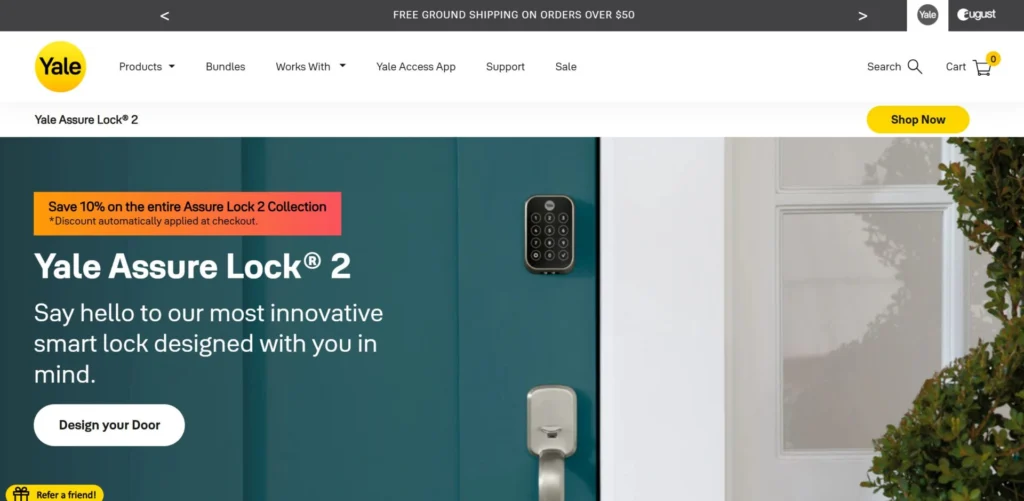
If you already use Apple Home, the Yale Assure Lock 2 is a strong everyday pick. Install is straightforward with a screwdriver, the keypad is reliable, and the Yale Access app makes sharing and scheduling codes painless for family, guests, or service pros.
Remote control and notifications work well when Wi-Fi is enabled. The big caveat: outside the US/Canada, support and setup can be frustrating, and heavy Wi-Fi use can chew through batteries faster than you’d expect.
For most homes, it’s a practical blend of convenience and security logs without overcomplicating your door. Just go in knowing the interior housing is a bit bulky and plan to keep spare AA batteries on hand if you use remote features a lot.
Features
Built-in Wi-Fi for remote lock/unlock and alerts via Yale Access app
Auto-Unlock on approach and DoorSense® auto-lock after close
Keyed or key-free models; touchscreen or keypad variants
Apple Watch and Apple HomeKit support; works with Alexa and Google when Wi-Fi is active
Share, schedule, and revoke access codes for guests and vendors
Activity log for who entered and when; two-factor and biometric app security
Pros
Quick DIY swap on most deadbolts; clear instructions
Excellent code management and scheduling for households and short-term access
Smooth HomeKit experience for many Apple users
Solid build with reliable day-to-day operation once set up
Useful entry/exit logs for peace of mind
Cons
Battery life varies widely; Wi-Fi use can drain in weeks for some users
App setup can feel clunky; occasional connectivity hiccups
Bulky interior housing and finicky battery cover
Limited international support; US/Canada only for full functionality
Price: $259.99
Score: 4.0/5
9. Nuki Smart Lock
Best for privacy-focused users who want sleek design and local data control.
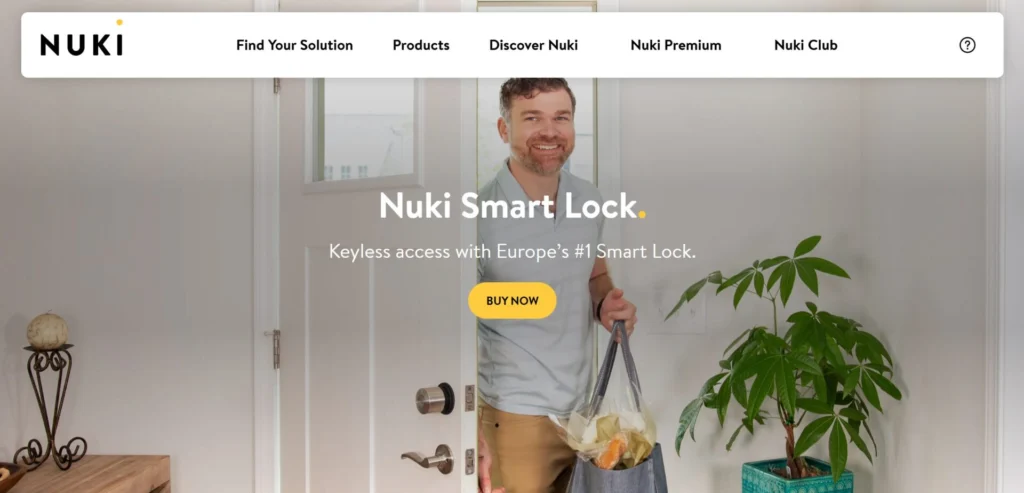
Nuki has carved out a name in Europe as the “privacy-first” smart lock, and it shows. The design is premium brushed stainless steel, installation takes under 15 minutes with no drilling, and the system is invisible from the outside.
Built-in Wi-Fi and Matter support mean you don’t need extra hubs, and everything runs locally without mandatory cloud accounts – ideal if you want smart features without giving away your data. When it works, it’s fast, secure, and stylish.
But reviews show a split: about half of buyers love it, while nearly 1 in 5 report major frustrations. Common complaints include fragile adapters during install, buggy connectivity, or deadbolts not closing properly.
It’s a lock that rewards tech-savvy users who can troubleshoot, but it may leave less technical homeowners wishing for something simpler.
Features
Invisible retrofit design – mounts over your existing deadbolt in minutes
Built-in Wi-Fi, Bluetooth, and Matter support (no hub needed)
Auto-Unlock and scheduling features with activity log
Share digital keys with permanent or temporary access permissions
Local-first app with no account required; logs stay private
Rechargeable USB-C battery pack with ~6 months per charge
Pros
Premium brushed steel design; feels more upscale than many competitors
Simple retrofit install with clear instructions
Fast, smooth motor performance (faster than August/Yale per reviews)
Local control and data privacy; no mandatory cloud login
Convenient charging with magnetic USB-C cable
Cons
Plastic adapters for deadbolts feel flimsy; some break during install
Software setup can be hit-or-miss (firmware hangs, recalibration issues)
Inconsistent performance with Alexa/Matter integrations
No Apple Wallet support (a gap for iOS power users)
Significant proportion of buyers had reliability issues
Price: $159.00
Score: 3.8/5
Comparison: Best Smart Locks for Home
Smart Lock | Fingerprint | Face/Palm Recognition | Keypad | App Control | Physical Key | Built-in WiFi | Camera/Video | DIY Install | Battery Life |
|---|---|---|---|---|---|---|---|---|---|
Lockly Visage ($349) | ✅ | ✅ | ✅ | ✅ | ✅ | ✅ | ❌ | ✅ | 6–8 months (rechargeable) |
Philips Smart Lock ($229.99) | ✅ | ❌ | ✅ | ✅ | ❌ | ❌ | ✅ | 3–6 months (AA) | |
LOCKSTAR ($139.97) | ✅ | ❌ | ✅ | ✅ | ✅ | ✅ | ❌ | ✅ (tools included) | 6–12 months |
Lockin Veno Pro ($299.99) | ✅ | ✅ | ✅ | ✅ | ✅ | ✅ | ✅ | ✅ | 3–7 months |
Sifely ($129.99) | ✅ | ❌ | ✅ | ✅ | ✅ | ❌ | ❌ | ✅ | ~12 months (AA) |
ULTRALOQ U-Bolt Pro ($149.99) | ✅ | ❌ | ✅ | ✅ | ✅ | ✅ | ❌ | ✅ | ~10 months (AA) |
YOSIMIKA ($89.99) | ✅ | ❌ | ✅ | ✅ | ✅ | ❌ | ❌ | ✅ | 6–12 months |
Yale Assure Lock 2 ($259.99) | ✅ | ❌ | ✅ | ✅ | ✅ | ❌ | ❌ | ✅ | 2–5 months (AA) |
Nuki ($159) | ✅ | ❌ | ✅ | ✅ | ✅ | ✅ | ❌ | ✅ | ~6 months |
How to Choose the Best Smart Lock for Your Home?
When comparing smart locks, the right choice depends on how well the lock fits your door, your household’s routines, and your expectations for security and convenience.
Here are the key factors to weigh before you buy:
1. Door Compatibility
Not every lock fits every door. Deadbolts, levers, and multipoint locks all require different setups.
Retrofit models like Nuki are excellent if you want a discreet option that mounts over your existing deadbolt – great for renters or older doors. On the other hand, Lockly and Philips include full deadbolt replacements, which look sleek but won’t suit storm doors or non-standard fits.
Sifely and LockStar are praised for straightforward installs on most US doors.
2. Security Features
The best smart locks protect not just with hardware, but also with strong digital security.
Lockin Veno Pro stands out here, offering palm vein recognition (harder to spoof than fingerprints) plus a 2K camera with AI detection. Lockly Visage encrypts facial data locally and adds its PIN Genie keypad, which randomizes digits to prevent snooping.
By contrast, budget models like YOSIMIKA and even Sifely provide basic encryption and biometrics, but durability and long-term reliability aren’t as strong.
3. Modes of Access
Multiple access methods give flexibility and backup options.
ULTRALOQ U-Bolt Pro is the most versatile, with eight unlocking methods (fingerprint, app, auto-unlock, voice, keys, etc.). LockStar also impresses with five access types and an included Wi-Fi bridge for remote use out of the box.
Premium models like Lockly and Yale Assure Lock 2 add Apple Watch and Home Key support.
Budget picks like YOSIMIKA cover the basics but may feel less polished in day-to-day reliability.
4. Connectivity & Integration
If you’re building a smart home, integration matters. Yale Assure Lock 2, Lockly, and ULTRALOQ connect well with Apple, Alexa, and Google.
Nuki goes further by supporting Matter and keeping data local – ideal for privacy-conscious buyers. The trade-off is occasional setup headaches.
Budget locks like YOSIMIKA and Sifely require an extra gateway for remote control, so they’re less plug-and-play.
5. Battery Life & Backup
Lockouts are a deal-breaker, so long-lasting power is key.
Sifely wins here with up to a year on four AA batteries, while ULTRALOQ averages 10 months. Rechargeable systems like Lockly and Lockin Veno Pro are convenient but last closer to 3–7 months.
Yale is more variable: with Wi-Fi enabled, batteries can drain in weeks.
6. Installation & Ease of Use
Most modern smart locks are screwdriver-only installs. LockStar goes further by including tools and even a drill bit for beginners.
Philips and ULTRALOQ are also noted for quick installs (~20 minutes). Nuki is easiest for renters since it mounts over an existing lock, though fragile adapters can be a weak spot.
Lockly is more advanced but requires patience for first-time users.
👉 The best choice comes down to priorities:
Want futuristic biometrics + video? Go Lockin Veno Pro
Need all-round versatility? ULTRALOQ and Yale are safe bets
Looking for budget-friendly but capable? LockStar or YOSIMIKA
Prefer privacy-first design? Nuki is your pick
Secure Your Home The Smart Way
We’ll assess your needs and recommend the best fit.
Frequently Asked Questions
Do smart locks work during a power outage?
Yes. Smart locks are battery-powered, so they keep working even if the power goes out. Most also include backup options like keys, external charging ports, or removable batteries.
Can smart locks be hacked?
While no system is 100% hack-proof, quality smart locks use encryption and two-factor authentication to make remote hacking very difficult. The bigger risks tend to come from weak PINs, lost phones, or poor installation.
Are smart locks weatherproof?
Many are, but not all. Look for locks rated IP65 or higher if your door is fully exposed to rain, snow, or extreme heat. Models like Lockin Veno Pro and ULTRALOQ are built for outdoor durability, while others are better suited for sheltered entries.
Do smart locks affect home insurance?
Some insurers view smart locks as an upgrade to home security and may offer discounts. However, this varies by provider, so it’s worth checking directly with your insurer.
Conclusion
Choosing the best smart locks for your home isn’t one-size-fits-all.
Yale Assure Lock 2 makes sense for Apple households that want easy code sharing. Yosimika is a budget-friendly pick with decent flexibility, while Lockly is all about convenience with fast facial recognition.
Sifely shines for rental hosts, ULTRALOQ packs in integrations, and Lockin Veno Pro adds serious security with palm vein and video. Philips is simple and reliable, Nuki leans into privacy and sleek design, and LockStar gives you dependable Wi-Fi control without the hidden extras.
Want help figuring out which lock – or security setup – fits your home best? Book a free in-home appointment and we’ll walk you through your options.