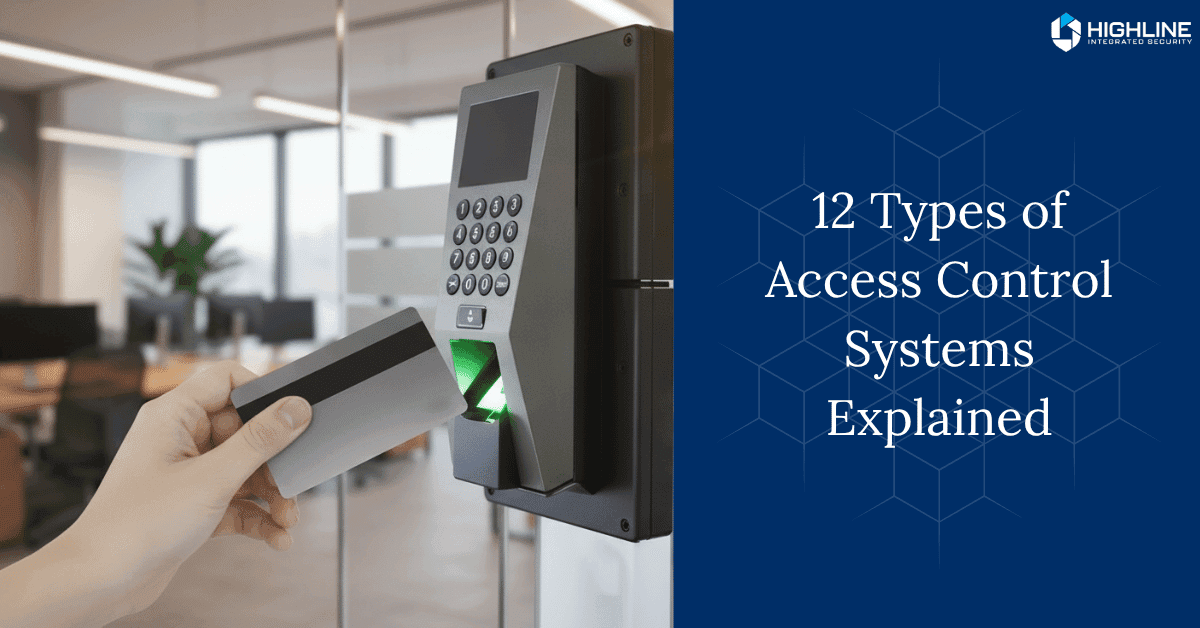
Every building tells a story about how it handles security. Some still rely on keys and good faith, while others quietly run on tech that decides who can pass through a door and when.
That’s the job of access control – the unseen system shaping safety, flow, and accountability behind the scenes.
We’ll unpack the main types of access control systems and how each one fits into modern security.
Key Notes
RBAC is most common for enterprises, MAC for government, and ABAC for dynamic environments.
Biometrics is the most secure but pricey; keycards are budget-friendly but shareable.
Cloud-based enables remote management; on-premise keeps data locally controlled.
Mobile credentials use encryption and remote wipe, and is more secure than cards.
Access Control 101: What It Really Means
At its core, access control is the process of managing and verifying who’s allowed to enter a space – whether that’s a door, a room, or an entire facility.
These systems consist of a few essential components:
Access points: Doors, gates, turnstiles, or elevators.
Credential readers: Devices that verify IDs like key cards, PINs, or biometrics.
Credentials: The unique identifiers (cards, fobs, fingerprints, etc.) that prove a person’s identity.
Control panel or server: The “brain” that validates credentials and logs activity.
Management software: Where permissions, schedules, and reports are configured.
When someone scans a credential, the system checks it against stored permissions. If it’s valid, the door unlocks. If not, the event is logged as a denial.
Modern systems also integrate with alarms, intercoms, and cameras to provide a complete security picture.
5 Main Control Models: How Permissions Are Set
These models define the logic behind who gets access and how it’s granted. Understanding these helps you match your organization’s structure to the right control logic.
Discretionary Access Control (DAC)
DAC gives control to the resource owner.
For example, a department manager decides who can enter their office. It’s flexible and simple but can be risky in large organizations since people may give too much access without oversight.
Best For: Small businesses or offices where flexibility matters more than strict policy.
Mandatory Access Control (MAC)
In MAC systems, a central authority (like IT or security) enforces strict access rules that individual users can’t change. It’s common in government or military settings.
Pros: Extremely secure and policy-driven.
Cons: Rigid and harder to manage at scale.
Best For: Environments handling classified or highly sensitive data.
Role-Based Access Control (RBAC)
The most widely used model today. Permissions are tied to roles (Manager, Technician, Visitor) rather than individuals. If someone changes jobs, their access updates automatically.
Pros: Easy to manage, scalable, and ideal for organizations with many users.
Best For: Enterprises, hospitals, and corporate offices.
Attribute-Based Access Control (ABAC)
ABAC uses multiple attributes (who you are, where you are, time of day, device used) to decide access. It’s dynamic and fits cloud environments.
Pros: Highly flexible and context-aware.
Cons: Can get complex to manage as rules multiply.
Best For: Tech-driven environments, hybrid workplaces, or organizations with variable conditions.
Rule-Based Access Control
This model uses specific, predefined rules such as “No entry after 6 PM” or “Access only during scheduled shifts.” It’s often layered onto RBAC or ABAC.
Best For: Businesses needing time-based or conditional control (like gyms, coworking spaces, or warehouses).
Physical Access Technologies: How People Unlock Doors
These are the technologies that bring those policies to life. Each offers different levels of security, convenience, and cost.
Key Card and Fob Systems
Users present RFID or smart cards to readers. Cards are inexpensive, easy to replace, and can be managed centrally.
Pros: Simple, scalable, and familiar.
Cons: Cards can be lost, shared, or cloned if not encrypted.
Common uses: Offices, schools, and hotels.
Keypad and PIN Systems
Instead of a card, users enter a code. Codes can be changed easily and shared for temporary access.
Pros: No physical credential required.
Cons: PINs can be shared or observed; not ideal for high-security sites.
Common uses: Small offices or restricted staff areas.
Biometric Systems
Fingerprint, facial, or iris scanners verify unique biological traits.
Pros: Very secure and convenient – you can’t forget your fingerprint.
Cons: Higher cost, privacy concerns, occasional false rejections.
Common uses: Government, healthcare, research, and high-security facilities.
Mobile and Cloud-Based Access
Credentials are stored on smartphones via NFC, BLE, or mobile apps. Administrators can manage permissions remotely.
Pros: Fast, scalable, and integrates well with cloud platforms.
Cons: Requires mobile device use and reliable connectivity.
Common uses: Modern offices, multi-site enterprises, and hybrid workplaces.
Smart Locks and IoT Systems
Smart locks connect to Wi-Fi or Bluetooth and can be managed through apps or building automation platforms.
Pros: Easy to install, great for retrofits, and works with multiple credential types.
Cons: Dependent on network stability; needs proper cybersecurity controls.
Common uses: Residences, coworking spaces, small commercial buildings.
Turnstiles and Gates
Used to control physical movement in high-traffic areas. Often paired with key cards or biometrics.
Pros: Physical barrier enforcement; prevents tailgating.
Cons: Expensive and space-intensive.
Common uses: Corporate lobbies, stadiums, government buildings.
Elevator Access Control
Restricts access by floor. Often integrates with badges or mobile credentials.
Pros: Adds another layer of security inside buildings.
Common uses: High-rise offices, hotels, and multi-tenant buildings.
Cloud vs On-Premise Systems: Where Management Lives
Cloud-Based Systems store data remotely and can be managed from anywhere via web or mobile dashboards. They’re easy to scale and ideal for multi-location operations.
On-Premise Systems keep everything local. They offer maximum control and are often preferred by institutions with strict data security policies (like finance or government).
Aspect | Cloud-Based | On-Premise |
|---|---|---|
Hosting | Remote servers | Local servers |
Management | Centralized, remote | Manual, on-site |
Updates | Automatic | Manual patches |
Scalability | Easy | Hardware-limited |
Cost | Subscription | High upfront |
Best for | Dynamic, multi-site orgs | Regulated or high-security environments |
Hybrid models are also growing fast – giving businesses the flexibility of the cloud with the control of on-prem systems.
Choosing the Right Type for Your Business
When selecting an access control system, focus on what matters most to your environment:
Security level: What’s the worst that could happen if someone gets in? Data theft? Equipment loss? Safety risk?
Scalability: Can it grow with your team or number of facilities?
Integration: Does it play well with your alarms, cameras, or visitor management systems?
User experience: How easy is it for staff, tenants, or guests to use?
Budget: Balance initial setup costs with long-term maintenance or subscription fees.
Compliance: Ensure it supports relevant laws like HIPAA, GDPR, or local building codes.
Industry Quick Guide:
Industry | Best Fit | Why |
|---|---|---|
Healthcare | RBAC + ABAC | Role-based privacy and dynamic emergency access |
Government | MAC | Centralized, clearance-based control |
Large Enterprise | RBAC | Scalable and easy to manage |
Tech & Cloud | ABAC + Rule-Based | Context-aware, dynamic access |
Small Business | DAC | Simple and flexible |
Implementation & Best Practices
A successful access control rollout goes beyond buying hardware. Here’s what to get right:
Site Assessment
Evaluate all entry points, traffic patterns, and risk zones. Determine which need high-security credentials (like biometrics) versus general access.
Integration
Make sure your access system talks to other systems – cameras, alarms, intercoms, and building automation. A well-integrated setup provides better visibility and response during incidents.
Policy Design
Use least-privilege principles: employees should only have access to what they need. Review permissions regularly and revoke access immediately for role changes or terminations.
Maintenance and Monitoring
Keep firmware updated, back up data, and test systems periodically. Use audit logs to spot unusual behavior early.
Training
Train staff not to share credentials, prop doors open, or bypass security. Human error causes more breaches than tech failures.
Common Mistakes to Avoid
Choosing outdated tech like magnetic stripe cards without encryption.
DIY installations without professional wiring or configuration.
Overly permissive access rights.
Ignoring audit logs or failing to review access regularly.
Not planning for power or network outages.
Avoiding these pitfalls ensures your investment actually improves security instead of just adding complexity.
Ready To Take Control Of Who Enters?
Protect your property with tailored, reliable security that fits you.
Frequently Asked Questions
How secure are mobile access control systems compared to key cards?
Mobile credentials are generally more secure than cards because they use encrypted communication and can require multi-factor authentication. Lost phones can be remotely wiped, while lost cards often go untracked.
Can different types of access control systems work together?
Yes. Many modern systems are hybrid – combining, for example, card readers with mobile or biometric options. This allows flexibility for different user groups and layered security without full system replacement.
What happens if power or internet goes down?
Most professional-grade access control systems have backup power (UPS) and local caching, allowing doors to function temporarily even if servers or internet connections fail. Logs sync once systems are back online.
How often should access permissions be reviewed or audited?
For standard users, once or twice a year is typical, while privileged or high-security access should be reviewed quarterly. Reviews should also happen whenever an employee changes roles or leaves the company.
Conclusion
Physical security has become smarter, faster, and more adaptable than ever. The types of access control systems all share one goal: keeping people, property, and information safe without adding friction to daily operations.
The real value lies in choosing a system that fits your environment, not just the newest one on the market. When every access point is managed with intent, security becomes an invisible part of how your building runs.
Book a free appointment to get a system designed around your property’s layout, security priorities, and the way people use your space.