Short lease, full-time peace of mind. That’s the brief. The right system should stick on, work on day one, and not start a fight with your landlord – or your budget.
We’ve ranked seven home security systems for renters, with pros/cons, pricing notes, and simple picks based on how you live.
Our Top 3 Picks
Ring Alarm | Cove | Yale |
|---|---|---|
Best for wanting the lowest ongoing cost and one app | Best for contract-free pro monitoring with peel-and-stick setup | Best for multi-zone arming and outdoor-siren-friendly setups |
 |  |  |
1. Ring Alarm
Best For: Renters already in the Ring/Alexa ecosystem who want low-cost monitoring, easy DIY setup, and one app for doorbell, cameras, and alarm.
Ring Alarm is a solid budget-friendly system that clicks into place fast: peel-and-stick sensors, a loud base station, and straightforward app control. The real appeal shows up if you’re already using Ring doorbells or cameras and Alexa – everything lives in one app, automations are simple, and pro monitoring stays cheaper than most.
There are trade-offs. Many features sit behind a subscription, privacy track record comes up a lot in reviews, and some users report occasional lag or device drop-offs.
If you want the lowest ongoing cost and a unified Ring setup, it’s a strong pick. If you’re privacy-sensitive or want richer automations, you may feel boxed in.
Features
DIY, no-drill install with clear in-app walkthroughs
Optional professional monitoring; month-to-month, no contracts
App control, alarm modes (Home/Away/Disarmed), real-time alerts
Z-Wave and Zigbee support on the Base Station for compatible locks/sensors
Battery and cellular backup with eligible subscription
Ring Alarm Pro adds built-in eero Wi-Fi 6 and optional 24/7 Backup Internet
Video history up to 180 days with Ring Plan; local storage via Ring Edge on Alarm Pro + microSD (with Premium plan)
Pros
Fast, renter-friendly setup; easy to expand over time
Low ongoing cost for monitoring and cloud video compared to many rivals
Smooth integration with Ring cameras/doorbells and Alexa
Loud base-station siren; decent pet-friendly motion sensing
Range extenders help larger apartments/lofts
Cons
Heavy subscription gating; limited video/history without a plan
Privacy/policy concerns noted by some users
Occasional connectivity/app lag and device drop-offs
Fewer native sensors and simpler automations than “premium” systems
No HomeKit; continuous recording generally not supported
Score: 4.2/5
2. Cove
Best For: Budget-minded renters who want low-cost professional monitoring, quick DIY setup, and reliable core sensors – and don’t need deep smart-home automation.
Cove keeps things simple: pre-programmed sensors arrive named and paired, so most people peel-and-stick and finish in under an hour.
Monitoring is contract-free and priced on the low end, and the system stays online with cellular and battery backup. Cameras are Eufy-branded – solid for the money – but integration can hiccup, and there’s no true self-monitoring plan.
If you’re chasing straightforward, affordable protection with RapidSOS dispatch speed, Cove is an easy shortlist pick. If you want a richer smart-home hub or zero monthly fees, it’s not the one.
Features
Pre-programmed DIY setup; optional pro install
Pro monitoring with RapidSOS dispatch pipeline
Cellular + battery backup (hub ≈ 24h; panel shorter)
Entry, motion, glass break, smoke/CO, water leak sensors
Eufy indoor/outdoor/doorbell cameras (2K options)
Cove Connect app control; Alexa/Google on Plus plan
Frequent equipment discounts and 60-day trial
Hub uses Ethernet (no Wi-Fi), with cellular backup
Pros
Low monthly monitoring; no contracts
Fast, renter-friendly setup; portable when you move
Solid, compact sensors; long battery life
RapidSOS can shave minutes off emergency response
Good value when hardware is on sale
Cons
No self-monitoring option – subscription required
Camera ecosystem is third-party; pairing can be finicky
App/monitoring quirks reported (occasional delays, sensor drop-offs)
Limited smart-home breadth vs. Ring/abode/Vivint
Hub needs Ethernet; panel backup shorter than hub
Score: 4.1/5
3. SimpliSafe
Best For: Renters who want a DIY setup with flexible, no-contract monitoring.
SimpliSafe is a go-to for renters because it’s simple to install, portable when you move, and doesn’t tie you down with long contracts. The system’s entry and motion sensors are reliable, and environmental add-ons (smoke, CO, water, temperature) provide broader coverage.
Professional reviewers praise its affordability and ease of use, while customer reviews are more mixed – especially around camera performance, billing, and support.
If your priority is straightforward, affordable security without drilling holes in your walls, SimpliSafe is worth a look, but it comes with trade-offs.
Features
DIY, no-drill installation (ideal for apartments and rentals)
Month-to-month monitoring with no long-term contracts
Entry, motion, glassbreak, smoke, CO, water, and temperature sensors
AI-powered “Active Guard” with live agent deterrence
App control with Alexa, Google Assistant, and August smart lock integration
Pros
Very easy DIY install, typically under an hour
Flexible monitoring (self or professional, cancel anytime)
Affordable compared to ADT or Vivint
Portable system you can take with you when you move
Reliable core sensors and environmental monitoring
Cons
Cameras prone to Wi-Fi drops, lag, and poor video quality
Customer service complaints (slow response, billing issues)
Key features locked behind subscription tiers
Limited smart home integrations (no Zigbee/Z-Wave)
Score: 4.1/5
4. Frontpoint
Best For: Renters who want reliable monitoring, strong customer support, and easy DIY setup – but don’t mind paying a bit more for it.
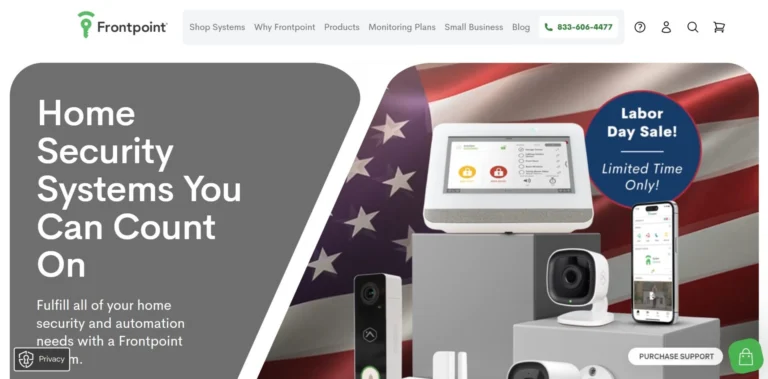
Frontpoint leans on reliability and service. Customers highlight fast emergency response, dependable sensors, and US-based reps who actually solve problems. Setup is straightforward, usually under an hour, and the system includes cellular + battery backup for peace of mind.
Where things get less rosy: camera quality lags behind competitors, monitoring is pricier than most, and recent reports mention long hold times and sticky cancellation processes.
If you value dependable intrusion/fire monitoring and human support more than cutting-edge cameras or the lowest price, Frontpoint is a safe bet.
Features
DIY install (~45–60 minutes); wireless, portable equipment
24/7 professional monitoring with cellular + battery backup
Intrusion, smoke/heat, CO, and flood sensors
Z-Wave smart home integrations + Alexa/Google support
Mobile app for alerts, arming/disarming, and remote control
3-year warranty on equipment
Pros
Fast, reliable emergency dispatch with documented saves
Easy DIY setup; renter-friendly portability
Strong intrusion/fire/CO coverage with cellular backup
Good smart home support (Z-Wave, Alexa, Google)
Cons
Monitoring fees are higher than many alternatives
Cameras (indoor/doorbell) have lag and mediocre clarity/audio
Long hold times, call-backs common for support
Cancellation and contract changes feel cumbersome
Occasional sensor false alarms and weaker documentation
Score: 4.0/5
5. Yale
Best For: Renters who want a flexible DIY alarm that plays nicely with Yale smart locks, supports multi-zone arming, and offers low-cost cellular backup.
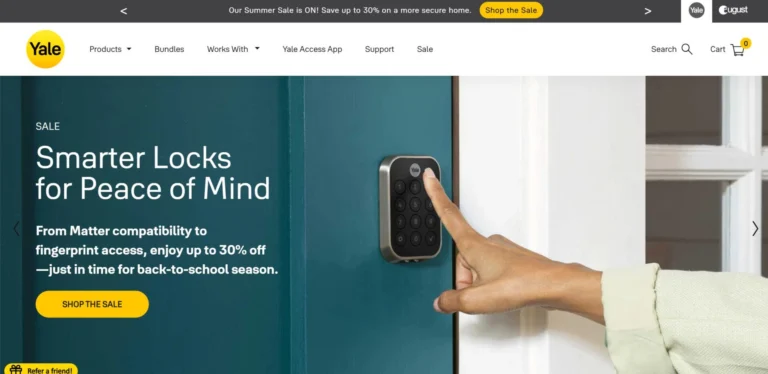
Yale’s latest Smart Alarm is a sleeper hit for renters who care about control. You can arm up to four areas independently (think: living space, garage/shed, hallway, office), add outdoor sensors, and tie it all together in the Yale Home app.
Hardware is tidy, install is straightforward, and an optional 4G backup keeps alerts flowing during internet outages. The trade-offs: kits can price out higher than Ring once you add pieces, the alarm doesn’t support HomeKit/Matter, and Alexa can’t disarm.
Yale locks are excellent on Z-Wave/Zigbee; the Wi-Fi/BLE bridge is where most complaints live (battery and connectivity).
Features
DIY install; indoor & outdoor sensors, plus pre-break-in (shock) sensors
Multi-area arming: up to 4 independently controlled zones
Optional 4G cellular backup + hub battery backup
Indoor (≈85 dB) and outdoor (≈100 dB) sirens for visible deterrence
Yale Home app: arm/part-arm/disarm, activity feed, multi-property support
Integrates with Yale smart locks and Philips Hue; voice arming via Alexa/Google
Pros
Rare multi-zone flexibility at this price – great for apartments + outbuildings
Broad accessory lineup (including outdoor PIR/contacts and shock sensors)
Optional 4G backup is affordable; Ethernet/Wi-Fi hub for placement flexibility
Clean hardware, mostly stick-on install; good for renters and moves
Lock + alarm integration (e.g., unlock can disarm a zone)
Cons
Starter kits can cost more than Ring once you match sensors
Alarm lacks HomeKit/Matter; Alexa can’t disarm (policy limitation)
App polish/docs are inconsistent; older Sync users report clunky UX
Yale Wi-Fi/BLE lock bridge draws most complaints (drops, battery drain)
Pro monitoring availability/options are limited vs big US brands
Score: 3.9/5
6. ADT
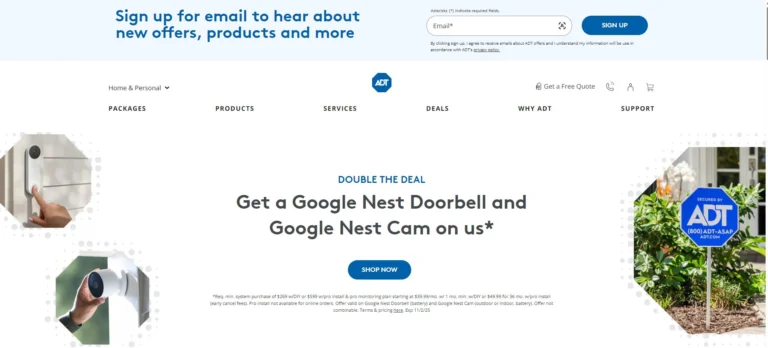
Best For: Homeowners who want professional-grade monitoring, Google Nest integration, and don’t mind paying more (or signing a contract) for set-it-and-forget-it security.
Yale’s latest Smart Alarm is a sleeper hit for renters who care about control. You can arm up to four areas independently (think: living space, garage/shed, hallway, office), add outdoor sensors, and tie it all together in the Yale Home app.
Hardware is tidy, install is straightforward, and an optional 4G backup keeps alerts flowing during internet outages. The trade-offs: kits can price out higher than Ring once you add pieces, the alarm doesn’t support HomeKit/Matter, and Alexa can’t disarm.
Yale locks are excellent on Z-Wave/Zigbee; the Wi-Fi/BLE bridge is where most complaints live (battery and connectivity).
Features
DIY install; indoor & outdoor sensors, plus pre-break-in (shock) sensors
Multi-area arming: up to 4 independently controlled zones
Optional 4G cellular backup + hub battery backup
Indoor (≈85 dB) and outdoor (≈100 dB) sirens for visible deterrence
Yale Home app: arm/part-arm/disarm, activity feed, multi-property support
Integrates with Yale smart locks and Philips Hue; voice arming via Alexa/Google
Pros
Rare multi-zone flexibility at this price – great for apartments + outbuildings
Broad accessory lineup (including outdoor PIR/contacts and shock sensors)
Optional 4G backup is affordable; Ethernet/Wi-Fi hub for placement flexibility
Clean hardware, mostly stick-on install; good for renters and moves
Lock + alarm integration (e.g., unlock can disarm a zone)
Cons
Starter kits can cost more than Ring once you match sensors
Alarm lacks HomeKit/Matter; Alexa can’t disarm (policy limitation)
App polish/docs are inconsistent; older Sync users report clunky UX
Yale Wi-Fi/BLE lock bridge draws most complaints (drops, battery drain)
Pro monitoring availability/options are limited vs big US brands
Score: 3.9/5
7. Vivint
Best For: Homeowners who want concierge-level, professionally installed smart security with strong deterrence features – and don’t mind higher costs or a contract.
Vivint builds slick, tightly integrated systems with standout deterrence (Smart Deter lights/sounds), solid video quality, and 24/7 monitoring. Pro install means placement and setup are handled for you, and the app ties locks, garage, thermostats, and cameras together.
That convenience comes with strings: aggressive sales/financing, pricey monitoring and add-ons, and frequent reports of cancellation and support headaches.
If you want a high-touch, done-for-you system, it’s compelling. If you need flexibility or a tight budget, it’s a risky fit.
Features
Professional installation with 24/7 monitoring and support
Smart Deter tech to identify/deter lurkers with light/sound
Doorbell Camera Pro (≈180°×180° FoV, loud speaker) + indoor/outdoor cams
Smart-home controls: Z-Wave locks, garage, thermostat, scenes
Mobile app for full system control and video
Financing options; 120-Day Service Guarantee on gear
Pros
High video quality and effective deterrence when online
True “set it and forget it” install and onboarding
Strong automation options (locks auto-arm/disarm, routines)
Some customers report excellent in-house techs
Option to avoid long contracts by paying equipment up-front
Cons
Expensive monitoring and add-ons; many offers tied to multi-year financing
Aggressive/opaque sales reported; surprise costs on install day
App/panel instability and Wi-Fi camera drop-offs cited by users
Support/cancellation friction (long holds, trip fees, post-cancel billing)
Limited app/camera use if you cancel monitoring, per customer reports
Score: 3.6/5
Comparison: Best Home Security Systems for Renters
What Renters Compare | Ring Alarm | Cove | SimpliSafe | Frontpoint | Yale | ADT | Vivint |
|---|---|---|---|---|---|---|---|
DIY, no-drill install | ✅ | ✅ | ✅ | ✅ | ✅ | ⚠️ | ❌ |
Pro install available | ✅ | ✅ | ✅ | ❌ | ❌ | ✅ | ✅ |
No long-term contract by default | ✅ | ✅ | ✅ | ⚠️ | ✅ | ❌ | ❌ |
Self-monitoring option | ⚠️ | ❌ | ⚠️ | ❌ | ✅ | ❌ | ❌ |
Professional monitoring available | ✅ | ✅ | ✅ | ✅ | ❌ | ✅ | ✅ |
Cellular backup available | ✅ | ✅ | ✅ | ✅ | ✅ | ✅ | ✅ |
Battery backup on hub/base | ✅ | ✅ | ✅ | ✅ | ✅ | ✅ | ✅ |
Works reasonably without a subscription | ❌ | ❌ | ❌ | ❌ | ✅ | ❌ | ❌ |
Local video storage option | ⚠️ | ⚠️ | ❌ | ❌ | ❌ | ❌ | ❌ |
Alexa support | ✅ | ✅ | ✅ | ✅ | ✅ | ✅ | ✅ |
Google Assistant support | ❌ | ✅ | ✅ | ✅ | ✅ | ✅ | ✅ |
Z-Wave/Zigbee ecosystem | ✅ | ❌ | ❌ | ✅ | ❌ | ✅ | ✅ |
Cameras integrate natively | ✅ | ⚠️ | ✅ | ✅ | ✅ | ✅ | ✅ |
Renter-friendly (minimal drilling, easy placement) | ✅ | ✅ | ✅ | ✅ | ✅ | ❌ | ❌ |
Easy to take with you when you move | ✅ | ✅ | ✅ | ✅ | ✅ | ❌ | ❌ |
Multi-zone/partition arming | ❌ | ❌ | ❌ | ❌ | ✅ | ❌ | ❌ |
Outdoor siren included/available in kits | ❌ | ❌ | ⚠️ | ⚠️ | ✅ | ❌ | ❌ |
How to Choose the Best Home Security System for Renters
1) Non-invasive installation
Most leases ban drilling and hardwiring. You want peel-and-stick sensors and gear you can remove without wall scars.
Best: Ring, SimpliSafe, Cove, Frontpoint, Yale (all are true DIY and renter-friendly).
Less good for this: ADT, Vivint (typically pro-installed; drilling and landlord approval likely). ADT has DIY options, but the mainstream path is still pro install.
2) Portability & move-friendliness
Renters move. Your system should pack up and reinstall in an hour, not require a new contract.
Best: Ring, SimpliSafe, Cove, Frontpoint, Yale (wireless gear, easy re-pairing).
Less good: ADT, Vivint (contracts, relocation fees, and proprietary gear can make moving painful).
3) Coverage & deterrence (doors, windows, motion, cameras, siren)
Visible deterrence reduces risk; sensors catch what signs don’t.
Standouts:
Yale – rare multi-zone arming + optional outdoor siren; strong for flats with sheds/garages.
Frontpoint – reliable intrusion/fire/CO with cellular backup.
Ring – best if you already use Ring cams/doorbell; one app.
ADT/Vivint – robust coverage and video verification; strong monitoring/deter features.
Watch-outs: SimpliSafe sensors are solid, but cameras lag peers. Outdoor sirens for Ring/SimpliSafe/Frontpoint are usually add-ons.
4) Cost, contracts & ongoing fees
Monthly creep is real. Avoid lock-ins if you can.
Lowest ongoing (plan-dependent): Ring, Cove, SimpliSafe (no long contracts).
Mid-to-high: Frontpoint (pricier monitoring).
Highest + contracts: ADT, Vivint (often 24–60 months).
Trials/guarantees: SimpliSafe and Cove (≈60 days), ADT (6-month guarantee). Always confirm current terms.
5) Landlord approval, building rules & privacy
Exterior cams, sirens, and wiring may violate lease/HOA rules; privacy laws cover audio/video in shared areas.
Low-friction picks: Ring, SimpliSafe, Cove, Frontpoint (indoor sensors/cams; minimal drilling).
Ask first: Yale (outdoor siren/externals), ADT/Vivint (pro install, permits, exterior devices). Keep cameras off shared hallways and never record where people expect privacy.
Ready To Secure Your Rental Without Drilling?
Free in-home advice for landlord-safe setups.
Frequently Asked Questions
Do renters get insurance discounts for installing a system?
Often yes. Many insurers offer 5–15% off if you have professionally monitored burglary/fire. Ask what proof they need (invoice or monitoring certificate) and whether self-monitoring qualifies.
Can I use cameras in a shared apartment without privacy issues?
Get written consent from roommates for cameras in common areas, never place them in private spaces, and avoid pointing outside your unit. Disable audio if building rules require it and share limited app access (guest roles).
Do I need an alarm permit, and what about false-alarm fines?
Some cities require a permit for monitored alarms and fine for repeated false alarms. Check your local police website and set proper entry/exit delays, pet-immune motion, and user codes to avoid penalties.
I’m moving soon – can I take the system with me?
DIY systems (Ring, SimpliSafe, Cove, Frontpoint, Yale) are easy to pack and reinstall – just label sensors and bring extra adhesive. Pro-installed brands (ADT, Vivint) may involve fees or contract changes; confirm relocation terms first.
Conclusion
Here’s the quick read: for the lowest ongoing cost and one app, Ring. For cheap pro monitoring and painless setup, Cove. For contract-free DIY with reliable sensors, SimpliSafe.
If you prize dependable monitoring and don’t mind higher fees, Frontpoint. Need flexible zones or lock tie-ins? Yale. Want set-and-forget with Nest? ADT (expect contracts). Prefer concierge install and strong deterrence? Vivint (pricey, service varies).
With home security systems for renters, the big three are no-drill install, portability, and transparent fees – plus cellular backup and basic privacy rules.
Want help choosing the right fit for your space and budget? Book a free in-home appointment – we’ll map coverage, confirm landlord-safe options, and compare subscription vs. self-monitoring so you only pay for what you need.